
Meetings
Logging a meeting
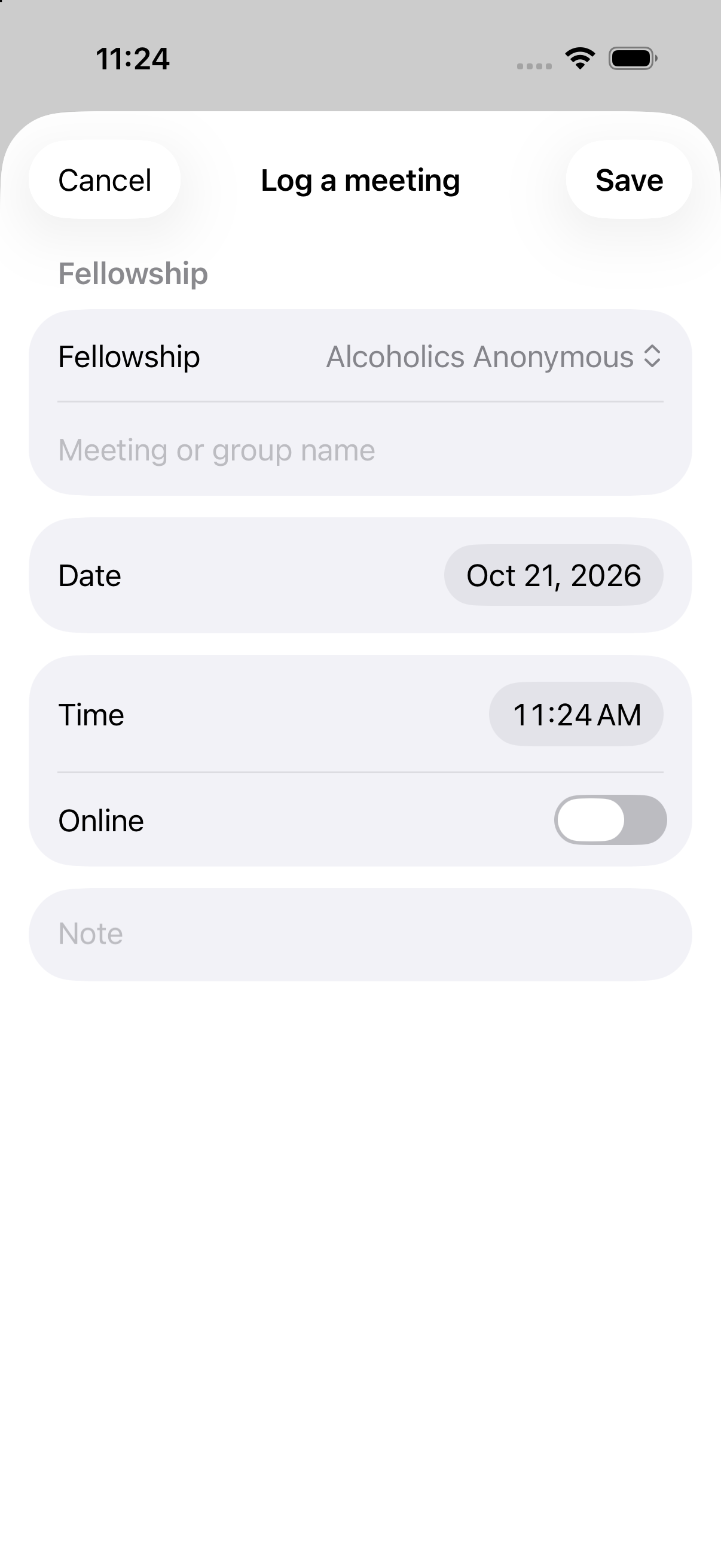
Log a meeting any time from Log a meeting on Today, or from the first row of a program's Meeting log. Each entry defaults to the moment you log it, and you can mark it online or in person, so you can tell them apart later. Logging a meeting is never blocked or limited by a goal - you can always log one.
Meeting goals
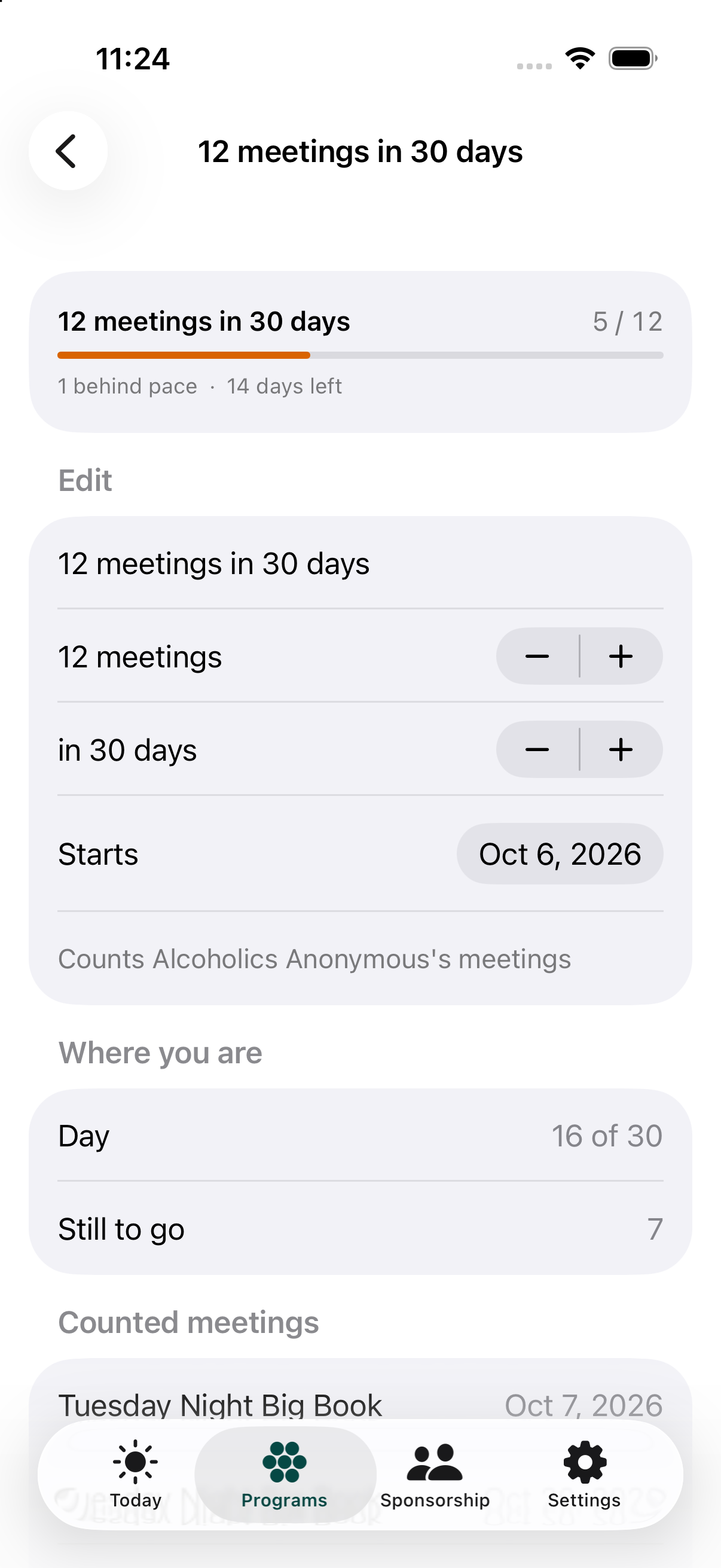
Set any goal you want - 90 meetings in 90 days, 30 in 30, or any other X-in-Y you choose. You can run more than one goal at a time. Each goal belongs to one program, and is created from that program: open it, tap Goals, then New goal. A goal screen shows your progress, your pace, and how many days you have left.
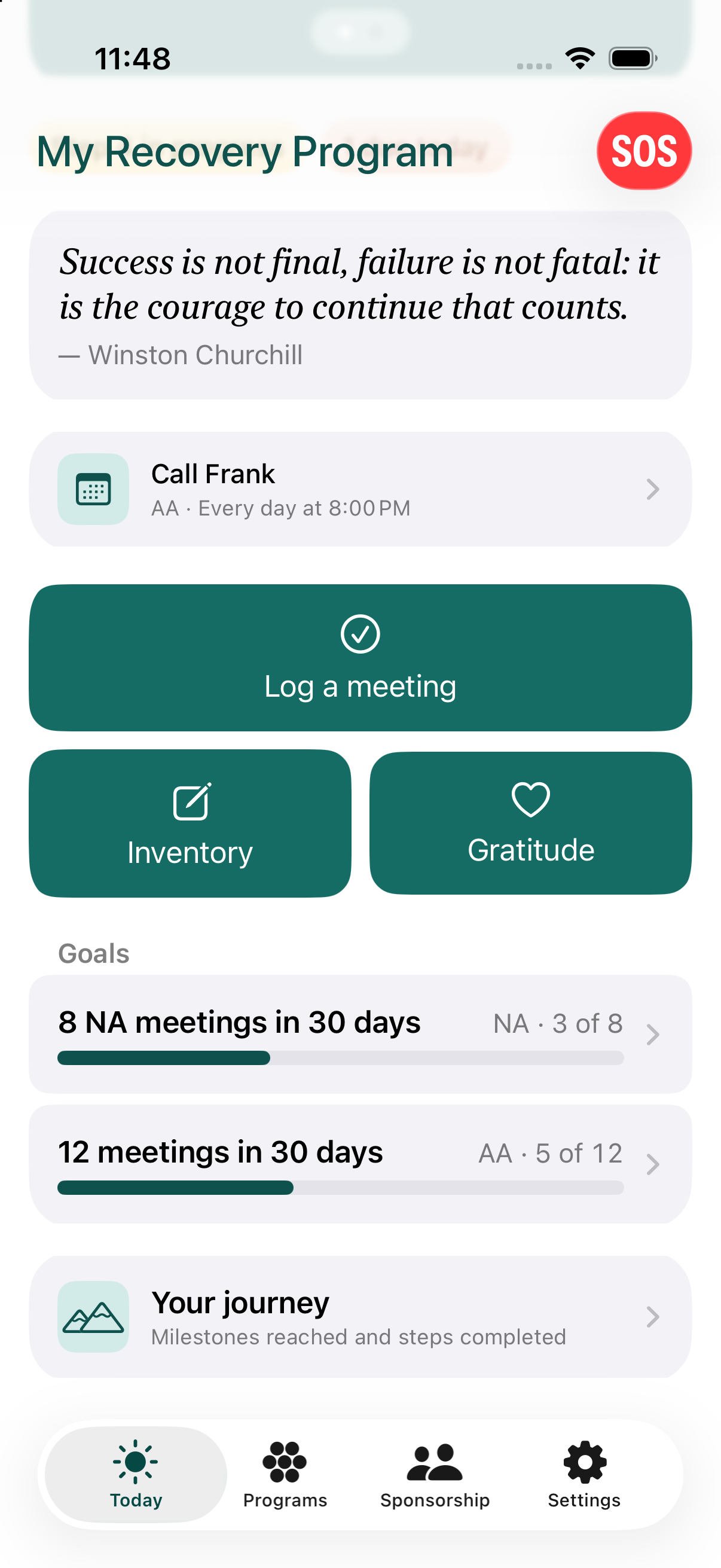
The Today tab shows a read-only summary of every program's goals in one place, each with a progress bar and an "X of Y" count - tap any of them to jump to the full detail screen.
Frequently asked questions
Can I set a custom meeting goal, like 90-in-90?
Yes. You can set any X-in-Y goal you want, and run more than one goal at a time.